# ssr-themes [](https://www.npmjs.com/package/ssr-themes)
Theming is hard with SSR.
The server often isn't aware of the client theme; most libraries keep it in local storage. The skew between the server default and what is hydrated on the client often results in a flash of the wrong content.
`ssr-themes` keeps the SSR markup, bootstrap script, and hydrated app in sync. It uses cookies to store the selected theme + system default and has first-party bindings for React, Svelte, Vue, and more. This means:
- 🍪 Perfect cookie-driven SSR markup
- ✨ No client/server mismatch
- 🌓 System theme support
- 🔄 Built-in cross-tab sync
- 🛡️ Strongly typed bindings
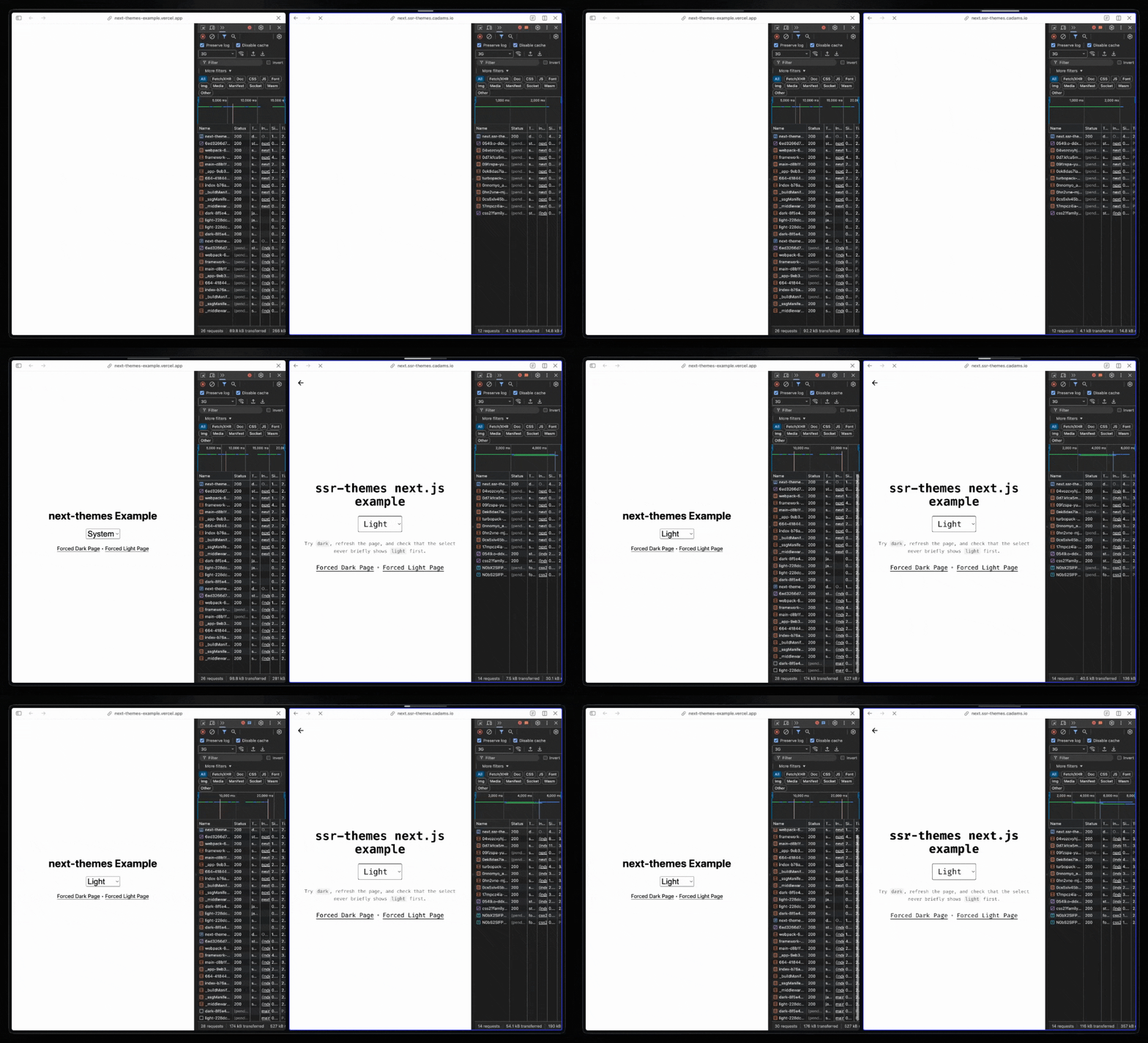
Check out the main demo: [https://ssr-themes.cadams.io/](https://ssr-themes.cadams.io/).
Or browse the framework examples:
| Framework | Live demo | Source |
| -------------- | ------------------------------------------------------------------------------- | --------------------------------------------------------------------------------------------------- |
| Next.js | [next.ssr-themes.cadams.io](https://next.ssr-themes.cadams.io/) | [examples/next](https://github.com/0xcadams/ssr-themes/tree/main/examples/next) |
| React Router | [react-router.ssr-themes.cadams.io](https://react-router.ssr-themes.cadams.io/) | [examples/react-router](https://github.com/0xcadams/ssr-themes/tree/main/examples/react-router) |
| TanStack Start | [start.ssr-themes.cadams.io](https://start.ssr-themes.cadams.io/) | [examples/tanstack-start](https://github.com/0xcadams/ssr-themes/tree/main/examples/tanstack-start) |
| SolidStart | [solid.ssr-themes.cadams.io](https://solid.ssr-themes.cadams.io/) | [examples/solid](https://github.com/0xcadams/ssr-themes/tree/main/examples/solid) |
| SvelteKit | [svelte.ssr-themes.cadams.io](https://svelte.ssr-themes.cadams.io/) | [examples/svelte](https://github.com/0xcadams/ssr-themes/tree/main/examples/svelte) |
| Vue / Nuxt | [vue.ssr-themes.cadams.io](https://vue.ssr-themes.cadams.io/) | [examples/nuxt](https://github.com/0xcadams/ssr-themes/tree/main/examples/nuxt) |
| Astro | [astro.ssr-themes.cadams.io](https://astro.ssr-themes.cadams.io/) | [examples/astro](https://github.com/0xcadams/ssr-themes/tree/main/examples/astro) |
## Install
```bash
bun add ssr-themes
# or
pnpm add ssr-themes
# or
npm install ssr-themes
# or
yarn add ssr-themes
```
## How It Works
`ssr-themes` has three parts:
1. `parseThemeCookie()` and `registerTheme()` help the server pre-render the correct theme during SSR. **This is optional.**
2. `themeScript()` runs before hydration on the client and makes sure the theme on `` is set to the correct value (and fills in the value from the client if it's `system`).
3. `ThemeProvider` keeps the DOM, the theme cookie, and client state in sync after mount.
```tsx
import {createTheme} from 'ssr-themes';
import {bindTheme} from 'ssr-themes/react';
const {
options,
registerTheme,
parseThemeCookie,
themeScript,
} = createTheme();
const {ThemeProvider} = bindTheme(options);
const App = () => {
// Remove `parseThemeCookie()` and `registerTheme()` to drive theme by client script only
// Similar to `next-themes`, this will then trigger server/client mismatch in React
// and you should pass `suppressHydrationWarning`
const initial = parseThemeCookie(cookieHeader);
return (
{children}
);
};
```
## Why not `next-themes`?
`next-themes` is popular because it makes client-side theming in React and Next.js easy.
But it solves a subset of the problem.
Its docs explicitly warn that reading `theme` before mount is hydration-unsafe, because the server does not know the current theme yet. That is a reasonable tradeoff if all you need is client-resolved theme state.
`ssr-themes` is for apps that want the theme to participate on the server. This means you can:
- Read the theme and system preference from the request cookie during SSR
- Pre-render the 100% correct HTML on the server (`
```
It usually receives the result of `parseThemeCookie()` and returns one of three output shapes depending on `renderMode`:
- `jsx` (default) -> `{className, style, ...dataAttrs}`
- `html-attrs` -> `{class, style, ...dataAttrs}`
- `html-string` -> `class="..." style="..." data-theme="..."`
Examples:
```tsx
const jsxProps = theme.registerTheme(initial);
const htmlAttrs = theme.registerTheme(initial, {
renderMode: 'html-attrs',
});
const htmlString = theme.registerTheme(initial, {
renderMode: 'html-string',
});
```
Runtime overrides are:
- `forced`
- `renderMode`
- `className`
- `style`
Notes:
- it applies your configured `attribute` and `valueMap`
- it adds `color-scheme` automatically for resolved `'light'` and `'dark'` unless disabled
- in JSX mode, it may add `suppressHydrationWarning` when SSR cannot fully resolve the theme
### `themeScript()`
Use `themeScript()` to generate the inline bootstrap script that runs on the client before hydration.
```tsx
```
`themeScript()`:
- reads the saved theme from the cookie
- resolves `'system'` on the client when needed
- updates the `` attributes
- sets `color-scheme` when appropriate
`themeScript()` only supports one runtime override:
- `forced`
Render it near the top of the document so the correct theme is applied before the app hydrates.
### Variants: `defaultVariant`, `encodeVariant()`, `decodeVariant()`, `listVariants()`
These helpers are for routing, caching, and pre-rendering.
```ts
const variant =
theme.encodeVariant(
theme.parseThemeCookie(cookieHeader),
) ?? theme.defaultVariant;
const initial = theme.decodeVariant(variant);
const variants = theme.listVariants();
```
- `defaultVariant` is the fallback serialized variant for the current config
- `encodeVariant()` returns a stable string when there is enough theme state to serialize
- `decodeVariant()` returns resolved theme state, or `undefined` for invalid values
- `listVariants()` returns the full set of valid pre-renderable theme variants
Encoded variants always include the system hint:
- explicit themes: `light~l`, `light~d`, `dark~l`, `dark~d`
- system mode: `~l`, `~d`
## Skills
The NPM package ships with [AI agent skills](https://github.com/0xcadams/ssr-themes/tree/main/ssr-themes/skills) to help migration from `next-themes` to `ssr-themes`.